Linux · Windows · macOS — free and open source
Draw it.
Done.
Virgul turns what your hands already do — a stroke of the mouse, two buttons pressed together, a menu around the cursor, even a blink — into shortcuts, commands and macros, app by app.
Four ways to act
Each works in every app, or only in the ones you choose.
Gestures
Hold the right button, draw, let go. Left goes back, down closes the tab — or anything you record, each app with its own.
How it works →Chords
Hold one button, press another: right + wheel switches tabs, side + left copies. Keys and buttons mix freely.
How it works →Hubs
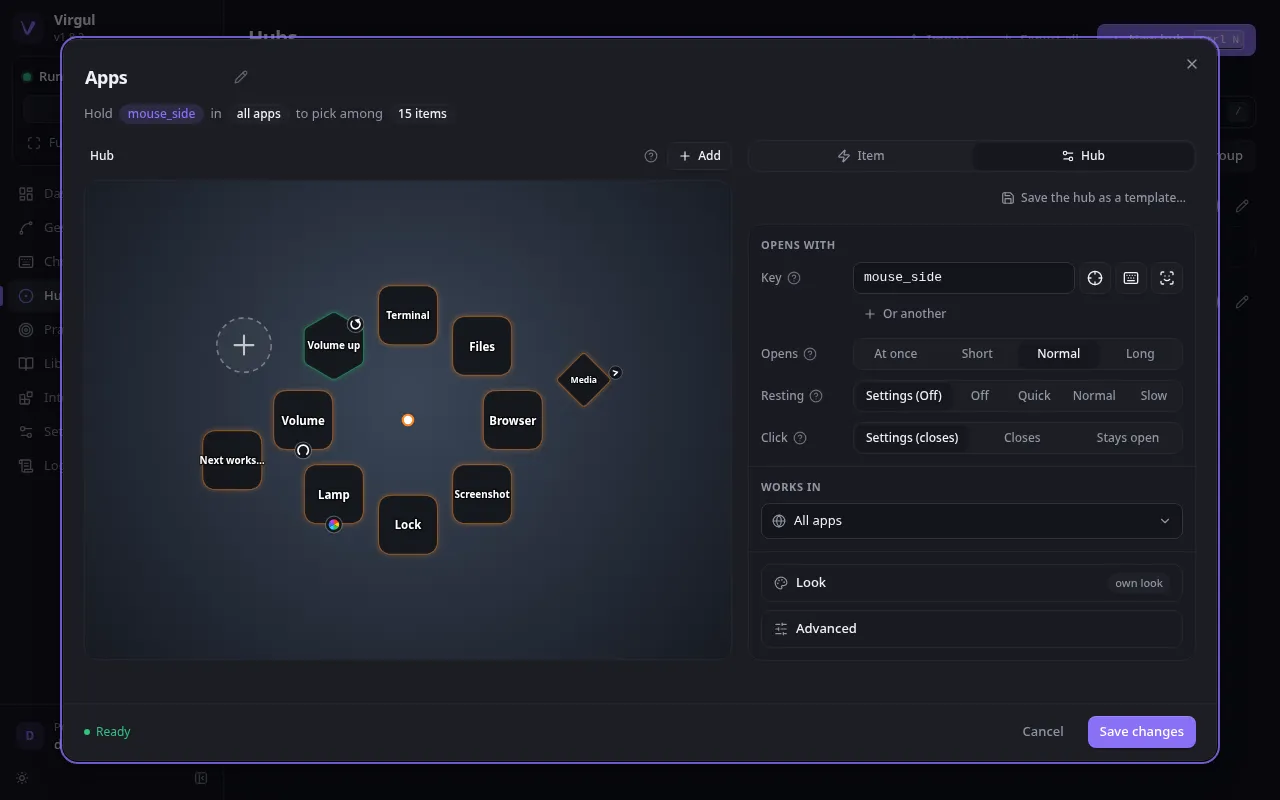
Hold a key and bubbles open around the cursor. Point, let go: done. Branches, live states, sliders and colour pickers.
How it works →Camera
A webcam becomes one more input: blinks, nods, hand poses — and a pinch draws gestures in the air. Images never leave your computer.
How it works →
Your controls, one flick away
A hub is a menu that opens where your cursor already is. Nothing to aim at, nothing to remember.
- Live states
- Bubbles show what they control — a lamp’s brightness, the song playing, how many containers run — from any command or Home Assistant.
- The wheel works too
- Scroll over a bubble to change the volume or dim a light without opening anything.
- Branches
- Rooms, containers, repositories: a bubble opens onto more, three levels deep.
- Made from templates
- Pick an integration, tick what it controls, and the hub is built for you.
Ready for the tools you use
Integrations bring bubbles, hubs, gestures and chords that already work. Each one shows what it will run before you accept it.
Integrations
- Home Assistant
- GitHub
- Docker
- Kubernetes
- Hyprland
- NetBird
- Network
- Bluetooth
- Media players
- Sound
- Clipboard & notes
App presets
- Firefox
- Chrome
- VS Code
- Files
- mpv
- Spotify
- Blender
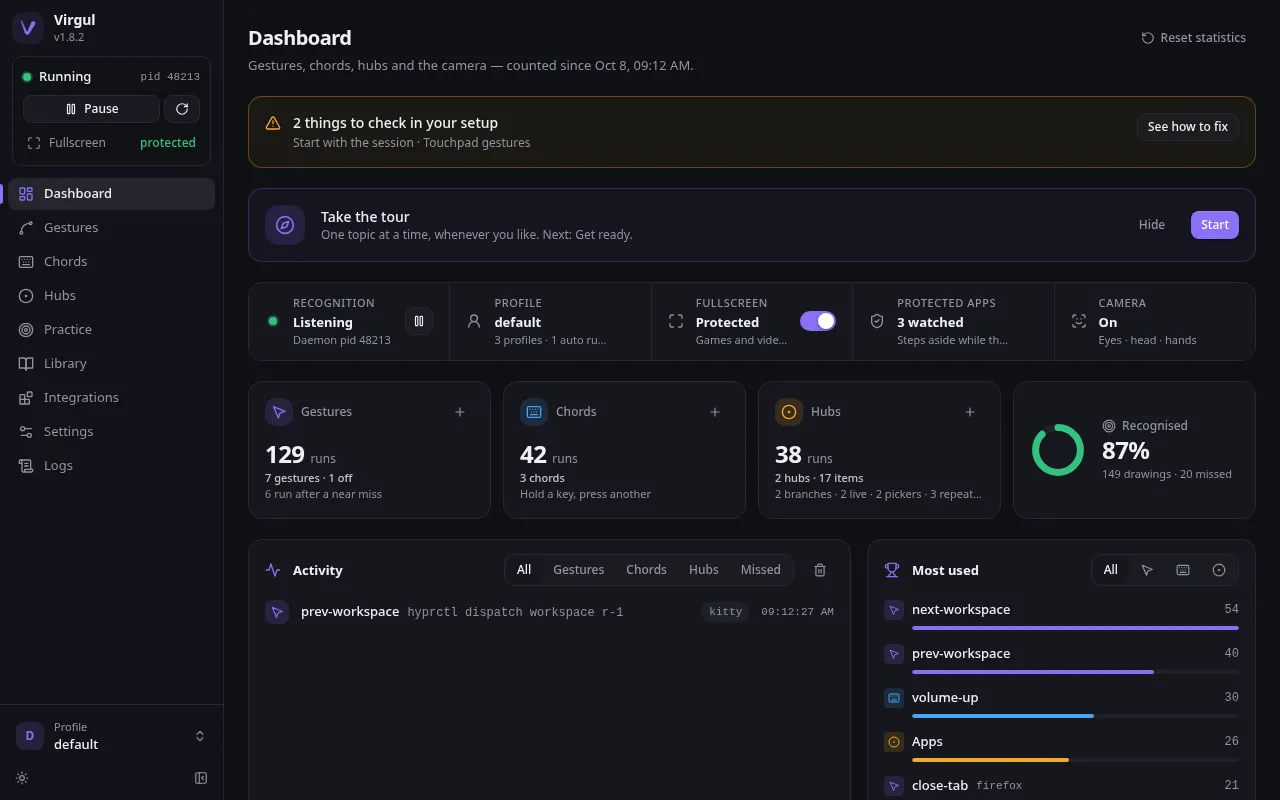
A desktop app to set it all up
Record a gesture by drawing it, build a hub bubble by bubble, practise until your strokes are recognised every time.
Stays out of your way
- Never as root
- Runs as you; nothing a gesture starts can gain privileges.
- Steps aside
- Lets go of the mouse while a game with an anti-cheat runs, in fullscreen apps, and on the lock screen.
- A way out
- Ctrl + Alt + Shift + Esc pauses everything, from any app.
- Private
- No account, no telemetry. The camera is analysed on your computer.
Wherever you work
- LinuxWayland (Hyprland, Sway, niri) and X11
- Windows10 and 11, no admin rights
- macOS11 and later, Apple silicon and Intel
Install
Then open Virgul: a short guide checks your setup and walks you through your first gesture.
curl -fsSL https://virgul.sh/install.sh | shyay -S virgul-binnix profile install github:Apo-Z/virgul#virgul-binwinget install Apo-Z.Virgulbrew install --cask apo-z/tap/virgulOr download a .deb, .rpm, Windows setup or macOS app from the latest release.
Every way to install, and building from source
Coming from my-gesture? Virgul is its new name and takes over your profiles and settings.